
Techno Casting Assistance
FAQ, Resources, and Manuals Area
Here you can find answers to common problems with sea fishing boats: S70 TC One, S80 TC Evo e S90 TC Titan.
Check the connection between the hull and the remote control battery. Make sure the connectors are inserted correctly and securely.
Check that the power switch is turned on on both the hull and the remote control.
Check the battery charge level. If it's low, recharge it. If it's defective, replace it.
Check that the antenna on the hull is screwed into place correctly.
If the light on the remote control flashes, replace the remote control battery, contact support.
If the antenna is damaged, replace it.
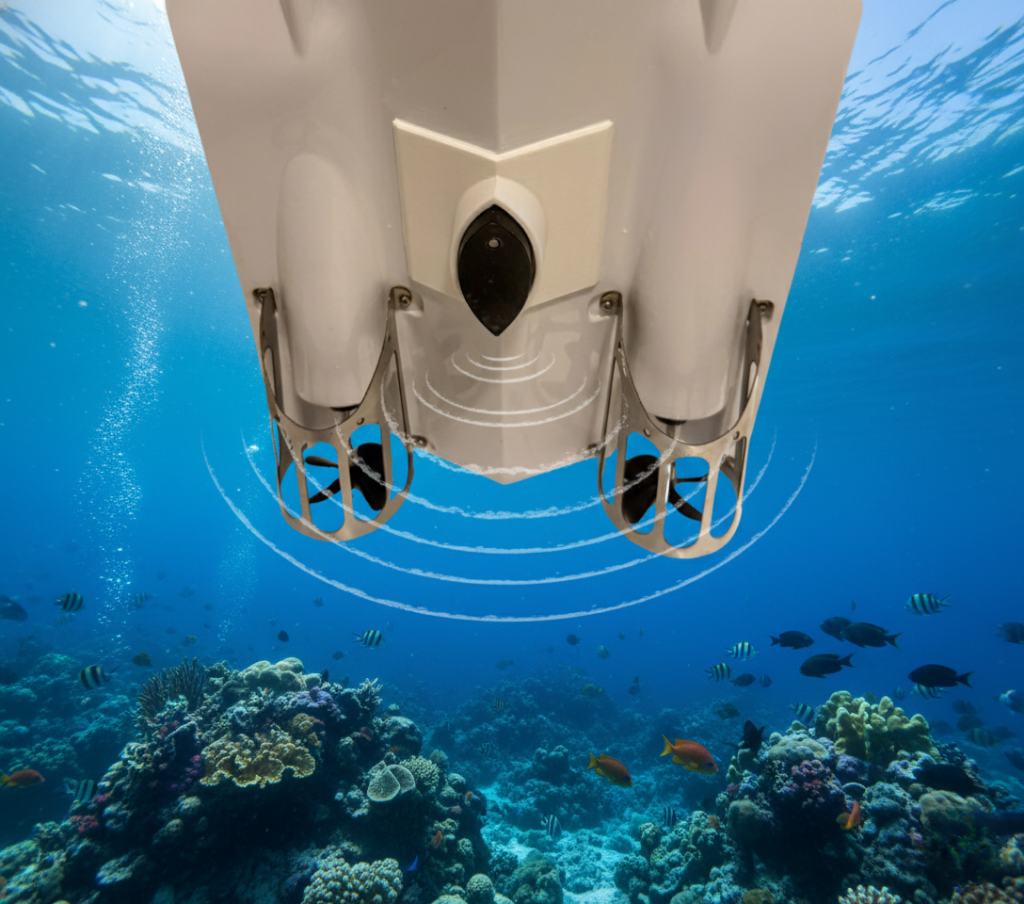
When the boat is on land, it's normal for one of the propellers to not work when turned on. This is because the product's built-in gyroscope isn't active out of the water. To properly test the propellers, you need to place the boat on the surface of the water.
Check that the propeller is not caught in weeds or other debris.
Place the boat on a flat surface and proceed to recalibrate the remote control with the boat.
To do this:
Turn the boat off and on.
With the remote control turned off, long press the pairing button located to the left of the power button, at the same time as the power button
Scrolling arrows will appear on the remote control display. Once you receive the word “OK” on the remote control, followed by a long “beep”, pairing has taken place.
Recalibrate the remote and the boat following the instructions in step 4 above
Check that none of the buttons on the remote control are stuck or jammed.
If none of the buttons are stuck, it's very likely that the remote has gotten wet. In this case, replace the remote.
First, the boat must be outdoors, in an area free from interference, to receive GPS information.
Satellite positioning search is not possible inside buildings or rooms.
The time required for GPS positioning, from turning on to displaying the information, is approximately 60 seconds.
In optimal weather conditions, it could be as long as 30 seconds.
This information usually appears when you return to your starting point or move to another location after fixing a GPS position.
If the distance exceeds the set distance, the system will not recognize the new position. Press the "OK" button on the remote control to erase all positioning information from the last operation.
Check the connection between the hull and the remote control battery.
Make sure the connections are secure and correct.
Check that the power switches on the hull and the remote control are both turned on.
Check the battery condition: If flat, recharge – If faulty, replace.
It's normal for a GPS-equipped boat to deviate 10-30 degrees during the automatic return journey. If the deviation significantly exceeds this range, please recalibrate the boat by following the steps in point 4.
You need to recalibrate every time you change environments. This is because GPS information in open spaces varies depending on the location.
Place the boat on a flat surface and recalibrate both the boat and the remote control. The boat will automatically reset the gyro once recalibrated.
Follow the instructions in point 4.
You'll hear a sound when you press the button to open the hoppers. In this case:
The servo needs to be replaced.
Or (less likely) the servo plug has come loose.
There's no sound when you press the button to open the hoppers. If this happens, there's a problem with the remote control.
Please replace the remote control.
Recalibrate the remote control with the boat resting on a flat surface.
If the problem persists after recalibration, the boat's motherboard may need to be replaced, contact support.
Please recharge the remote control battery.
If the flashing continues after charging, the battery needs to be replaced, contact support.
Check to see if water has entered the motherboard and damaged it (burned it). If so, the motherboard needs to be replaced; contact support.
Check for algae or other debris stuck in the motors and remove them.
Check if the motors are faulty (this is a less likely possibility), contact support.
TC Ecos (XL and Mini)
Here you can find answers to any common problems with the TC ECOS series fishfinders (XL and Mini)
If the TC Ecos series, while in Wireless user mode, is unable to receive an RF signal from the wireless sonar sensor, the display will stop updating and show NO SIGNAL after a few seconds.
Any time reception is lost or the wireless sonar sensor is removed from the water for more than a few seconds, the image will be displayed until the wireless sonar sensor is placed back into the water and reception is restored.
If objects are placed between the TC Ecos series receiver and the wireless transmitter on board the dinghy, reception may be interrupted.
The wireless sonar sensor's range varies from 1 to 500 meters. Inconsistent readings may occur in water depths less than 1 m. Additionally, due to the nature of sonar, this product is not intended for use in swimming pools or small enclosed bodies of water.
To get a good reading, the dinghy needs to be kept at a moderate speed. The wireless sonar sensor, if subjected to too much speed, can cause signal loss and the screen to freeze.
Always carry out tests to determine the right speed for your dinghy, given the weather and sea conditions.
The wireless sonar sensor may not reach its maximum RF range of 1640 feet (500 m) if the water is not calm. Waves or currents can significantly reduce the RF range.
The display shows unstable depth readings and excessive clutter, including vertical bars that may overlap fish icons if the water is not calm. Waves or currents can significantly disrupt the RF range.
This jump in the image on the screen is caused by an automatic change in depth. New returns plotted at a different scale will not match historical data already plotted at a higher or lower scale. Vertical lines may also appear when the radio signal from the wireless sonar sensor is lost and then recovered in rough water conditions.
Find the manuals for our boats and accessories here
Download your product manual directly from here.
The manuals are constantly updated, based on the implementations made by Techno Casting Assistance, as needed.